
Adventure Time RPG Codes: Free Coins in October 2026
Get Adventure Time RPG codes for free Coins in October 2026, learn where to redeem COINS50, fix common entry mistakes, and plan your next market purchase.
Last checked
Active codes (October 2026) 1
COINS5050 Coins
Jump to

Active Adventure Time RPG Codes
Grab 50 free Coins before heading back into the Land of Ooo. Adventure Time RPG codes give you extra spending money for Choose Goose’s rotating market, where weapons, healing items, skins, and character essence are available. As of October 22, 2026, the Adventure Time RPG codes list has one active entry: COINS50.
| Code | Reward | Status |
|---|---|---|
| COINS50 | 50 Coins | Active as of October 22, 2026 |
Enter COINS50 in uppercase, with no space between the letters and numbers. Code entry is case-sensitive, so copying the exact text saves you from a failed attempt caused by capitalization.
Those extra Coins give you more room to shop, but check the current selection before spending them. Choose Goose’s inventory rotates, making it worth looking at what is available rather than buying something simply because your balance just increased.
Expired Codes
There are no expired Adventure Time RPG codes as of October 22, 2026.
If entering COINS50 produces no reward, check the troubleshooting section below before assuming it has expired. A typo or a previous redemption can also explain why nothing happens.
The short list makes this an easy stop before your next adventure: claim the available reward, check the market, and get back to quests, bosses, or the Dungeon Train.
How to Redeem Adventure Time RPG Codes
You can reach code redemption through the lobby’s Redeem Reward Code area, located in front of the training dummies. Walking into that zone opens the entry box. The gear icon also provides access to the code field through Settings.
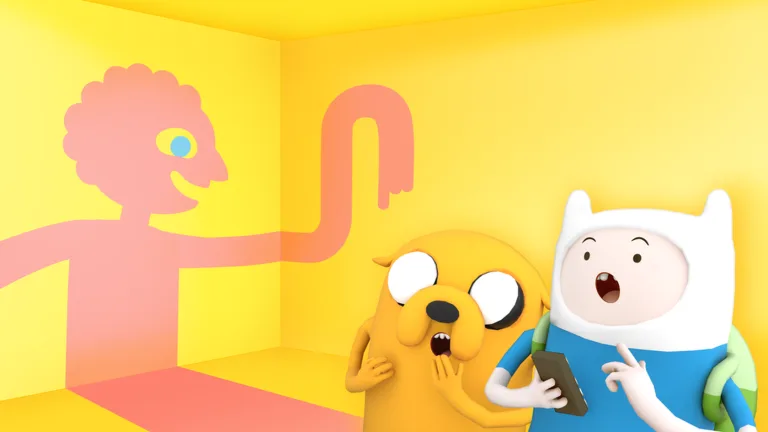 Image: Roblox / Oh My Glob Games
Start by joining Adventure Time RPG on Roblox, then follow these steps:
- Wait for the game’s main interface to load.
- Find the training dummies in the lobby.
- Walk into the Redeem Reward Code zone in front of them.
- Enter COINS50 exactly as written.
- Select Submit.
- Watch for the reward to appear on your screen.
If you use Settings instead, select the gear icon, find the Type Code Here field, enter the code, and press Submit.
| Redemption option | Where to go or what to select | What to do |
|---|---|---|
| Lobby redemption zone | Redeem Reward Code area in front of the training dummies | Walk into the zone to open the code box |
| Settings | Gear icon near the upper-left corner of the screen | Enter the code in the Type Code Here field |
| Submission | Submit button in the redemption interface | Submit the exact code and watch for the reward |
Keep your attention on the screen after submitting. The redemption interface does not display an “invalid,” “expired,” or “already redeemed” message for unsuccessful attempts. A successful redemption shows the reward; an unsuccessful entry can simply do nothing.
That makes the final step easy to overlook. Clicking Submit completes your input, but the reward appearing on-screen tells you that the code worked.
Before leaving the lobby, take a moment to check the market too. It puts your free Coins and the current item selection in front of you before you commit to another adventure.
Why Your Code Might Not Work
Failed attempts to redeem Adventure Time RPG codes do not display an error message. You can submit a code and receive no explanation, so work through the simple checks first.
Start with the text itself. COINS50 contains uppercase letters followed immediately by 50. There should be no space in the middle, no punctuation, and no extra spaces before or after it.
| Problem | What to check | What to do |
|---|---|---|
| Incorrect capitalization | The code is written as COINS50 | Replace lowercase letters with uppercase letters |
| Extra spaces | A space appears before, after, or inside the code | Delete the spaces and enter COINS50 again |
| Typing mistake | A letter or number differs from the active code | Copy the complete code instead of retyping it |
| Previous redemption | You have already claimed this code on your account | Check for a new code rather than repeating the same entry |
| Expired code | A previously active promotion has ended | Use a currently active code |
Nothing Happens After You Press Submit
Reopen the code field and inspect the full entry. Copying from a sentence can accidentally include punctuation or a trailing space, so select only the code.
If you already collected the reward earlier, entering the same code again will not provide another payout. Repeatedly submitting it is not a way to farm Coins.
A silent response also does not tell you exactly which problem occurred. Check spelling, capitalization, and previous use before deciding that a code has expired.
Make Sure You Are in the Correct Game
Use Adventure Time RPG [Beta] by Oh My Glob Games. Adventure Time characters appear in other Roblox experiences, but this reward code belongs to this game.
The Roblox place ID is 118915268278945, which also appears in the official game link above. Checking the title and developer is a quick way to avoid entering the right code in the wrong experience.
What to Buy With Your Free Coins
Adventure Time RPG codes award currency you can spend at Choose Goose’s rotating market in the lobby. Its selection includes equipment, recovery items, cosmetics, and character essence, giving you several reasons to check the stall.
The useful question is what your current character needs. Compare the available purchases with the adventure you plan to tackle next, then decide whether to spend your Coins or keep them for another market selection.
| Market item | What is available |
|---|---|
| Weapons | Weapons sold for Coins |
| Healing items | Recovery items available at the stall |
| Skins | Cosmetic purchases |
| Character essence | Character essence offered in the rotating selection |
Check Equipment Before Cosmetics
Inspect the weapons on sale before choosing a skin. If you are struggling with battles, compare those weapons with your current equipment and focus on purchases that address your immediate needs.
If your setup already feels comfortable, browse the cosmetics without rushing. The market rotates, so checking the selection is useful even when you decide to leave without buying anything.
Avoid treating the 50-Coin reward as money that must be spent immediately. Look at the item, its price, and what you want to do next before confirming a purchase.
Prepare for the Content You Want to Play
The game includes regular enemy encounters, boss battles, quests, and the Dungeon Train. Let that next activity guide your shopping.
Before a difficult fight, check your equipment and healing supplies. When working through familiar content, review whether another purchase would help more than the item that first caught your eye.
Keep your weapon upgrades focused, too. Invest in equipment you actively use before spreading resources across several alternatives. That gives you a clearer progression plan while you learn which weapons feel comfortable.
Keep Earning Between Code Releases
Free codes supplement your regular earnings. Continue playing adventures, completing quests, and exploring the game rather than waiting for another promotional reward.
Fishing also offers rewards when you want a change from combat. You can switch between fighting through the Dungeon Train, taking on quests, and fishing instead of making code checks your entire routine.
Use those activities to keep moving forward, then return to the market when you want to review its current stock. The code is a bonus alongside the game’s main activities.
Where to Find New Adventure Time RPG Codes
Check the Oh My Glob Games Roblox community and the game’s own announcements for new Adventure Time RPG codes. Those are the places to watch for reward drops and update notices.
The game is in Beta, and its announced content schedule includes weekly additions. Keep an eye on those updates, but separate a content announcement from a code announcement: a new adventure gives you something to play, while a promotional code gives you text to redeem.
When a new reward code appears, check these details before entering it:
- Exact spelling: Copy every letter and number.
- Capitalization: Preserve uppercase and lowercase characters.
- Reward: Check what the promotion gives you.
- Timing: Read any stated expiration or event dates.
For now, the active reward is straightforward: COINS50 gives 50 Coins. Do not change the number or try variations expecting a larger reward. Enter the published code as written.
Build Code Checks Into Your Lobby Visits
Check announcements when you return to the lobby, redeem any new code, and browse Choose Goose’s stall before your next outing. This keeps the process tied to a useful stopping point.
After claiming the available reward, choose your next activity. Team up for adventures, work on weapon upgrades, equip a buddy, or spend some time fishing. Each is part of the game’s broader loop, so there is plenty to do between promotions.
Keep your expectations tied to the reward shown for each code. COINS50 awards Coins; plan your purchases around that payout and the market’s actual prices.
FAQ
What are the active Adventure Time RPG codes?
As of October 22, 2026, the active code is COINS50, which awards 50 Coins. Enter it in uppercase without spaces. There are no expired codes listed for that date.
Where do I redeem codes in Adventure Time RPG?
Visit the Redeem Reward Code zone in the lobby, directly in front of the training dummies. Walk into it, enter your code, and select Submit. You can also access the code field through the gear icon in Settings.
Why does COINS50 do nothing when I submit it?
Check capitalization, spelling, extra spaces, and whether you already redeemed it. Failed attempts do not display an invalid, expired, or already-redeemed message. Watch for the reward appearing on-screen to recognize a successful redemption.
What can I spend the free Coins on?
Spend Coins at Choose Goose’s rotating market in the lobby. Its selection includes weapons, healing items, skins, and character essence. Check the current inventory and prices before choosing a purchase.
Continue exploring
Adventure Time RPG Weapons: Unlock and Upgrade Guide
Find Adventure Time RPG weapons in chests and Choose Goose's market, learn upgrade milestones, and spend Coins wisely as you tackle Ooo's toughest fights.
Adventure Time RPG Buy Guide: Prices, Passes & Coins
Adventure Time RPG buy guide covering Roblox access, game pass prices, Coins, and free rewards. Compare purchases before spending your Robux in the beta.